
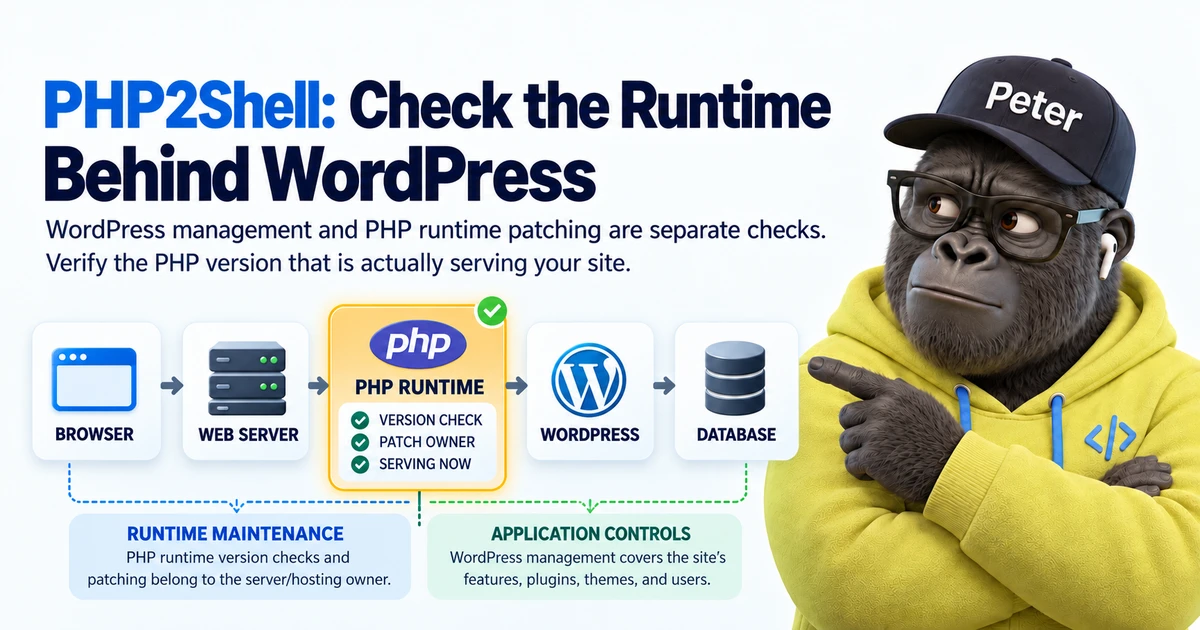
Most of my engineering work involves AI agents, APIs and automation runtimes. My own blog, Peter’s Stack, is a WordPress site running in Docker. That means PHP is part of the system I operate, even though PHP is not the language I spend most of my time writing.
On October 21, 2026, the PHP team disclosed two critical vulnerabilities now discussed under the name PHP2Shell. I checked the PHP installation serving my blog and updated it. This is a useful moment to explain something that many website owners rarely have to think about: what PHP actually does, and who is responsible for keeping it patched.
Where does PHP fit into a website?
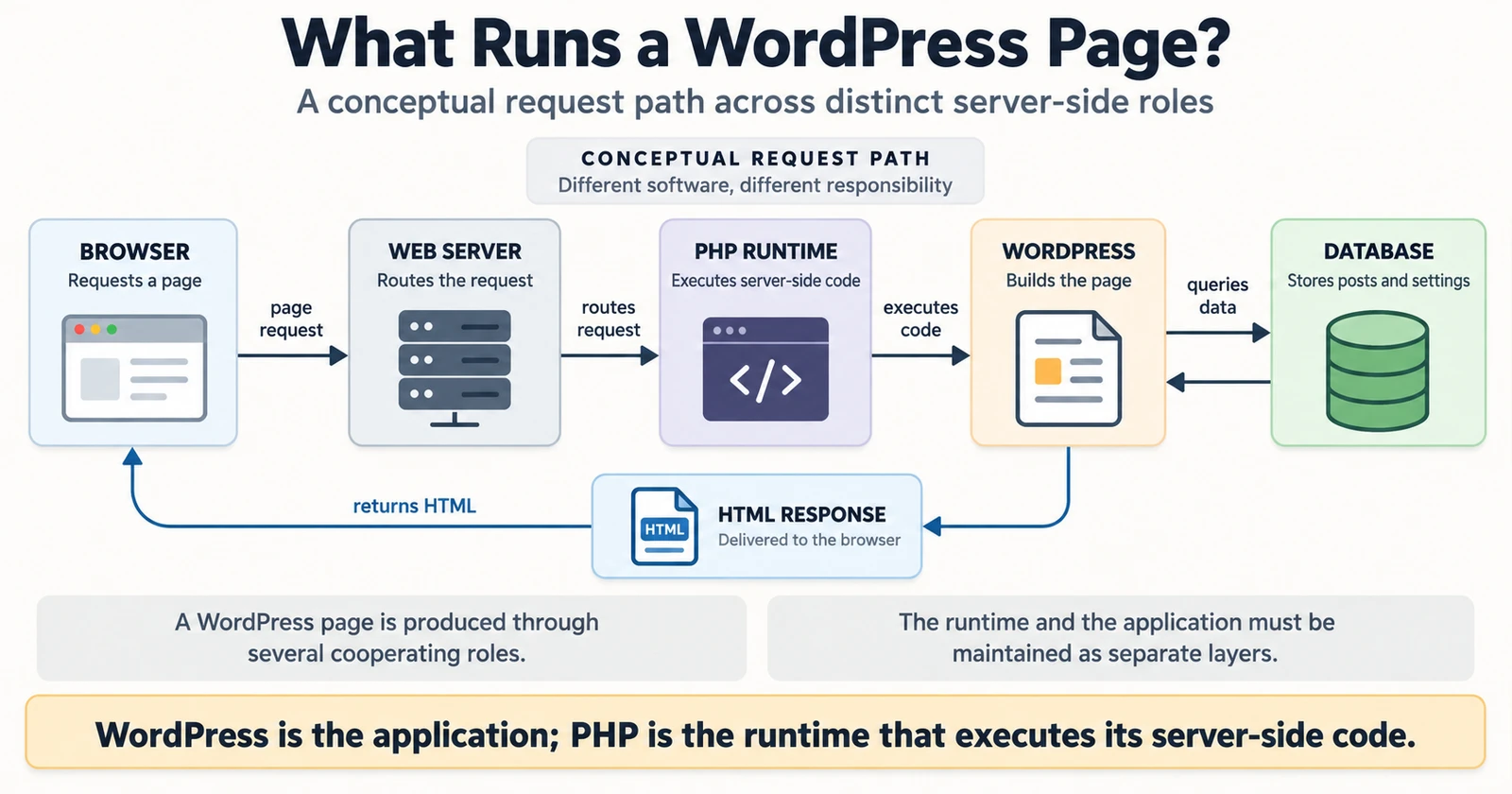
When a visitor opens an article, the browser receives HTML. But the server may need to build that response dynamically, retrieving the article, site settings and other content from a database. PHP is a server-side programming language used for this work.
WordPress is the content management application. PHP executes WordPress’s server-side code. The web server and database have their own responsibilities. These parts cooperate, but updating one does not necessarily update the others. That distinction becomes important when a security advisory concerns the runtime rather than the application.
Why are we still using a language from 1995?
PHP dates back to 1995. It is not the newest technology in today’s development conversations. But useful infrastructure lasts for reasons beyond fashion.
WordPress and other content management systems, themes, plugins, hosting services and familiar administration tools form a large ecosystem around PHP. Replacing the language does not instantly replace all of those working assets. Enterprise software often follows the same logic: compatibility, operating cost, staff experience and incident response matter as much as technical novelty.
The important distinction is not old versus new. It is supported and maintained software versus unsupported versions left running in production.
What made PHP2Shell serious?
On October 21, the PHP team released fixes for CVE-2026-109618 and CVE-2026-109619. The issues involve exceptional conditions and internal memory handling in PHP. The project’s warning was serious: under affected conditions, an unauthenticated remote request could result in code execution on the server. For some Apache mod\_php setups, an exploit path was demonstrated before application code ran.
This is not the same as someone guessing a WordPress administrator password. Strong authentication, current plugins and WordPress security controls remain worthwhile, but they do not repair a defect in the PHP runtime beneath the application. The PHP project explicitly advised updating rather than relying on incomplete mitigations.
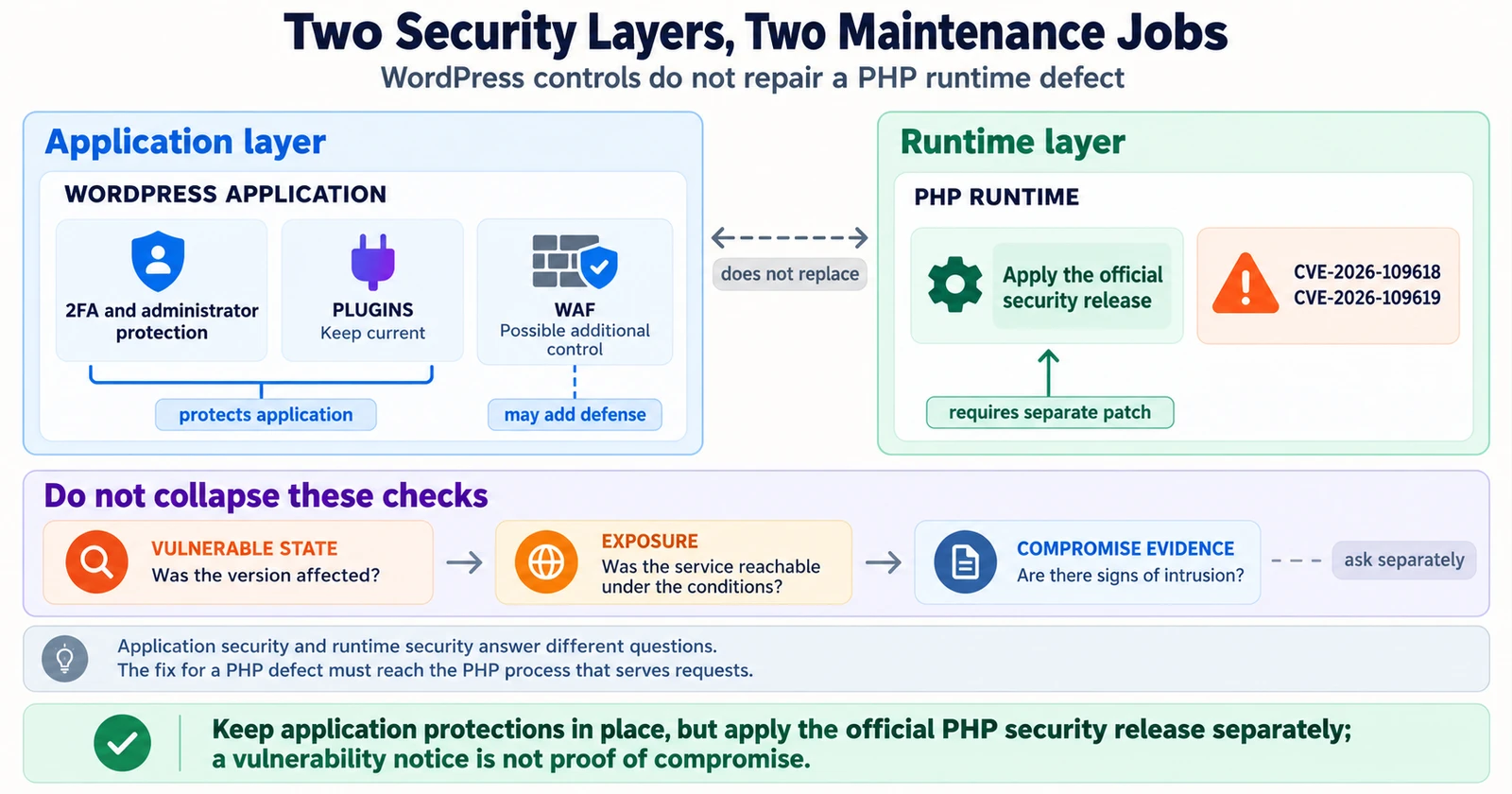
It is also important not to confuse a disclosed vulnerability with evidence that a particular website has been compromised. Exposure, exploitability and signs of intrusion require separate assessment.
What should a website owner check?
The fixed releases announced on October 21 were PHP 8.2.35, 8.3.36, 8.4.27 and 8.5.12. Check the PHP branch your site is running and compare it with the corresponding fixed release. PHP 8.1 and older are outside the PHP project’s official security support. Some operating-system vendors may backport fixes; consult their advisories rather than relying on version numbers alone.
With managed WordPress, check the provider’s update notice and ask who owns PHP security patches. With shared hosting, consult the control panel or WordPress Site Health information and ask the host to confirm the active PHP version. With self-hosted VPS or Docker infrastructure, verify both the updated package or image and the version actually serving web requests.
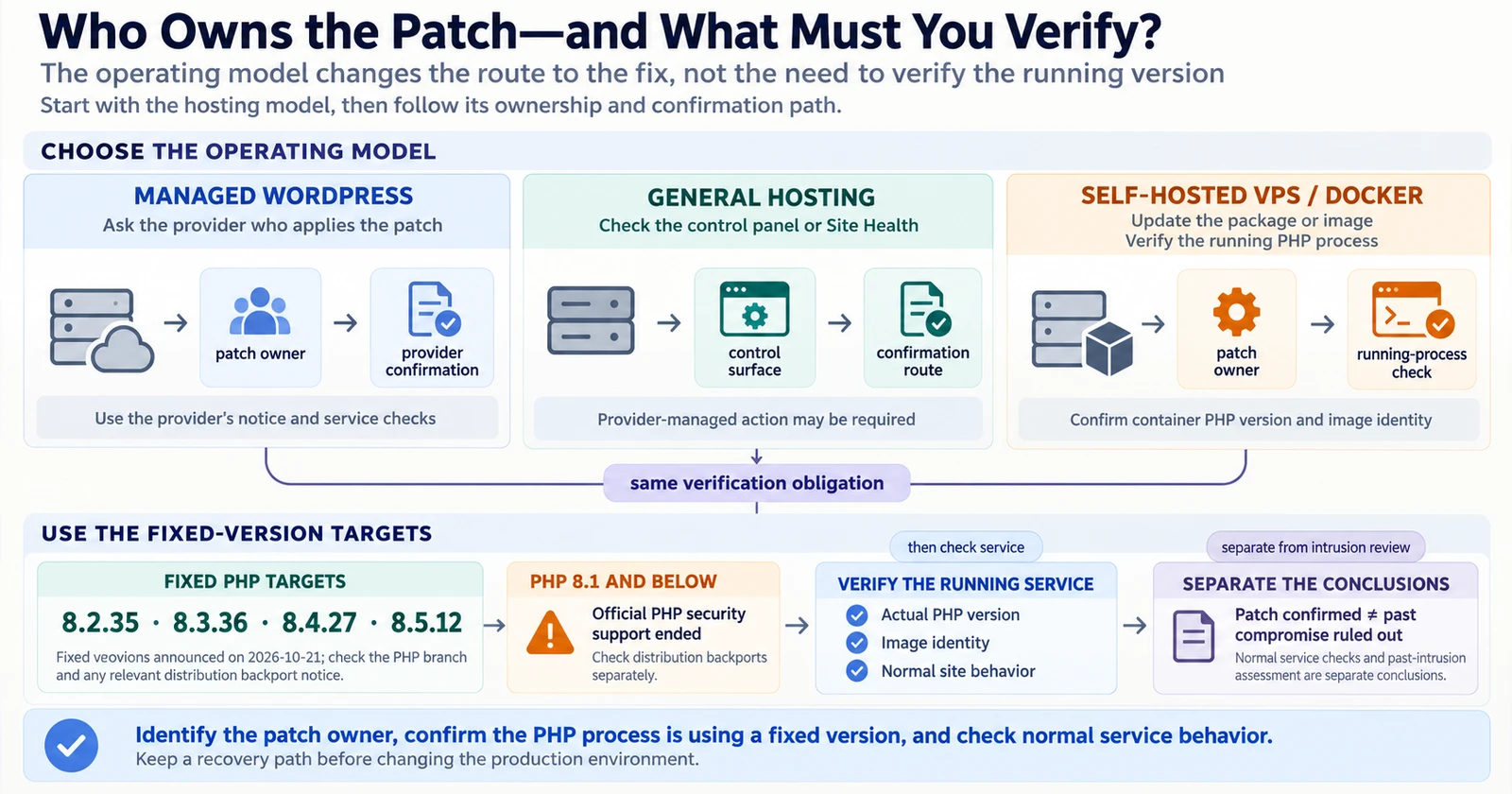
After updating, check normal site functionality. Downloading a new image is not the same as starting the service with it. Confirm a recovery path before production changes. And remember that a successful update is not proof that there was no compromise before the update.
What I did on Peter’s Stack
After the advisory, I upgraded the PHP 8.3 runtime in my self-hosted WordPress Docker environment to 8.3.36. I checked the version in the running container, verified the image identity and confirmed that the site remained operational. Those checks establish the update I performed; they are not a claim of a complete historical forensic investigation.
You do not need to be a PHP specialist to own a website. You should know what software serves it, who maintains that software and how to verify which version is actually running. PHP2Shell made that responsibility especially visible.
Sources: PHP official security releases · KISA advisory